Oil Paint Image Converter
Turn photos into realistic oil paintings instantly — free & online
Free Online Oil Paint Image Converter – Turn Photos into Handcrafted Art in Seconds
Our oil paint image converter lets you transform ordinary photos into richly textured oil‑painting‑style artwork without touching a brush. Whether it's a family portrait, a pet snapshot, or a landscape you captured on a walk, this free online oil paint image converter applies a warm, classic painterly effect that feels deliberate and full of character. Artists, designers, photographers, and anyone who simply loves beautiful images can now convert photo to oil painting free and get a result that looks like it took hours—rather than seconds.
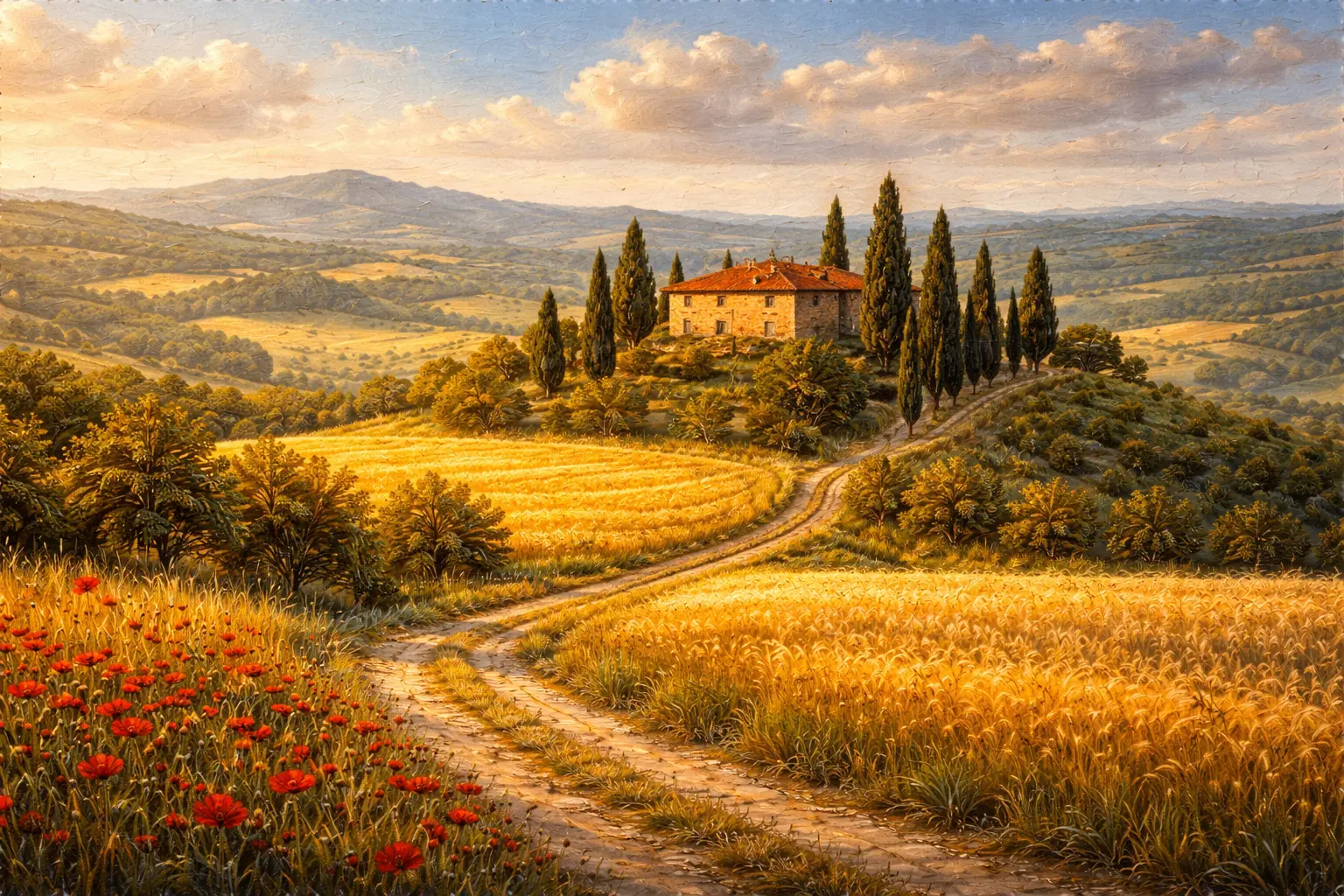
Unlike many online tools that secretly upload your files to a remote server, this photo to oil painting effect online converter does all its magic right inside your browser. Your images stay private, the processing is fast, and you never have to create an account. Just upload a photo, adjust the intensity slider to your liking, and download your new oil‑painted masterpiece immediately. It’s the simplest way to get an oil painting filter without software and without any compromises on privacy or quality.
The appeal goes far beyond novelty. A well‑applied oil paint effect can soften imperfections, add emotional warmth, and elevate a casual photo into something worthy of a frame. Social media posts stand out when they carry an artistic signature rather than a generic filter. Personalized gifts—imagine a canvas print of a favorite memory rendered as an oil painting—become effortless. Graphic designers can quickly generate backgrounds or hero images with a tactile, organic feel. Whatever your purpose, this oil paint effect generator delivers consistent, high‑resolution results that work equally well on desktops, tablets, and phones.
Why This Oil Paint Converter Feels Different
The internet is full of photo effects, but most leave your image looking obviously digital—smeared, oversharpened, or just plain weird. This tool was tuned to produce a natural brushstroke look. The algorithm analyzes edges, color transitions, and luminosity to build a coherent painterly texture that respects the original composition. Rather than masking your photo with a flat overlay, it blends strokes in a way that mimics how an artist builds up paint on canvas. That’s why users keep returning when they need to convert photo to oil painting free without the tell‑tale signs of machine‑generated art.
Another standout feature is the live preview. You adjust a single slider—from a subtle whisper of paint to a bold, heavily textured finish—and see the transformation happen in real time. No guesswork, no repeated uploads, no waiting for a server to process. It’s the kind of instant feedback that makes experimentation fun rather than tedious.
How to Use the Oil Paint Image Converter
- Upload your photo – Drag and drop any JPG, PNG, or WebP image onto the dotted upload area, or click to browse your device. The tool accepts photos taken on phones, professional cameras, or scanned prints.
- Adjust the oil paint intensity – Use the slider to set how pronounced the brush effect should be. A lower setting gives a gentle painted feel, while a higher setting creates thick, expressive strokes.
- Preview in real time – Watch the image update instantly as you move the slider. Zoom in to check fine details and see how the strokes interact with faces, textures, and backgrounds.
- Download your artwork – When you’re satisfied, click the download button. The output is rendered at your original image’s resolution, so you can print it as large as you like without losing clarity.
Who Uses This Tool – and Why You'll Love It Too
Photographers often apply a subtle oil effect to soften skin and create a dreamy, editorial look. A wedding portrait that’s been lightly brushed feels romantic and timeless. Social media creators love it for thumbnails and story graphics that instantly catch the eye because they don’t look like every other filtered photo. Home decor enthusiasts turn family photos into DIY canvas prints, gifting relatives with personalized art that looks like a commissioned painting. Designers and marketers use the effect to produce banners, website hero images, and ad creatives that carry a handcrafted, premium feel.
Even casual users who just want to see what their dog would look like as an oil painting find themselves thoroughly entertained. The tool requires zero technical skill, yet the results feel sophisticated enough for professional use. It’s a rare blend of accessibility and genuine creative output—the essence of a true free online oil paint image converter.
Preserve Memories, Privacy, and Quality
Because everything runs locally, your photographs never leave your device. There’s no upload, no storage, no risk of your personal memories appearing where they shouldn’t. This local processing also means no file‑size limitations beyond what your browser can handle, and no throttling. You could convert a dozen high‑resolution portraits in a row without hitting a paywall or a queue.
The final image is saved as a high‑quality file that retains the original dimensions, making it suitable for prints, gifts, or large‑format displays. If you later need to convert the output to a web‑friendly format, the tools at Imgcnv—like the image converter or compressor—are right there, creating a seamless creative pipeline.
Creative Ways to Use Your Oil-Painted Images
- Canvas prints and wall art: Print the result on canvas for a gift that looks like an original painting.
- Social media posts: Use oil‑painted photos as backgrounds, profile headers, or story templates to build a distinctive personal brand.
- Greeting cards and invitations: Convert a landscape or couple photo into art and use it for wedding invitations, birthday cards, or holiday greetings.
- Blog and website visuals: Break away from stock photography by featuring your own images transformed into unique art.
- Mixed media projects: Combine the oil‑painted output with text, frames, or other effects using Imgcnv’s related tools.
Tips for the Best Oil Paint Results
- Start with a clear, well‑lit photo. The better the source image, the more convincing the painting effect. Sharp details and good contrast give the algorithm more to work with.
- Experiment with intensity. Portraits often shine with a moderate setting that preserves facial features while softening skin. Landscapes can handle bolder brushstrokes.
- Use higher resolution for prints. If you intend to print, upload the largest version of your photo. The tool won’t downscale it, so you’ll get a print‑ready file.
- Consider the composition. Images with strong leading lines, clear subjects, and uncluttered backgrounds translate beautifully into oil paintings.
Frequently Asked Questions
Is this oil paint converter really free?
Yes, completely free. There are no hidden charges, no watermarks, and no account requirements. You can use the free online oil paint image converter as many times as you like, for personal or commercial projects.
Will the oil paint effect look natural?
At moderate intensity, the effect adds a subtle painterly texture that feels organic. Even at higher settings, the strokes are designed to mimic brushwork rather than digital noise. The result is a genuine photo to oil painting effect online that holds up to close inspection.
Does it work on mobile?
Absolutely. The converter is fully responsive and touch‑friendly. You can upload a photo from your phone’s camera roll, apply the effect, and download your art within a minute.
Are my images stored anywhere?
No. Processing happens entirely in your browser. Your images never leave your device, ensuring complete privacy and security. This is a fully local oil painting filter without software.
Can I use the result for commercial purposes?
Yes. Since the output is derived from your own photo and processed locally, you own the result and can use it in commercial projects, prints, or products without restriction.
Conclusion – An Art Studio in Your Browser
The oil paint image converter transforms everyday photos into expressive, painterly artwork without the weight of traditional software or the worry of privacy leaks. It’s fast, intuitive, and genuinely enjoyable to use. Whether you’re crafting a unique gift, upgrading your social media presence, or simply exploring a new creative outlet, this oil paint effect generator puts the experience of oil painting at your fingertips—no mess, no cost, just art.
Give it a try with a photo that matters to you. Slide the intensity, watch the brushstrokes appear, and see your image turn into something you’d be proud to hang on a wall. It’s a small moment of creative joy that keeps people coming back, and it’s all free, right here on Imgcnv.
Click to upload
JPG, PNG, WebP
Frequently Asked Questions
Is this oil paint image converter free?
Yes, it is completely free with no watermark.
Are images uploaded?
No, all processing happens locally in your browser.
Does it work on mobile?
Yes, the tool is fully responsive.