Free Visual Flashcard Generator for Image-Based Study Cards
Create simple image-based flashcards. Click or tap a card to flip it.
📚 How to Use This Tool
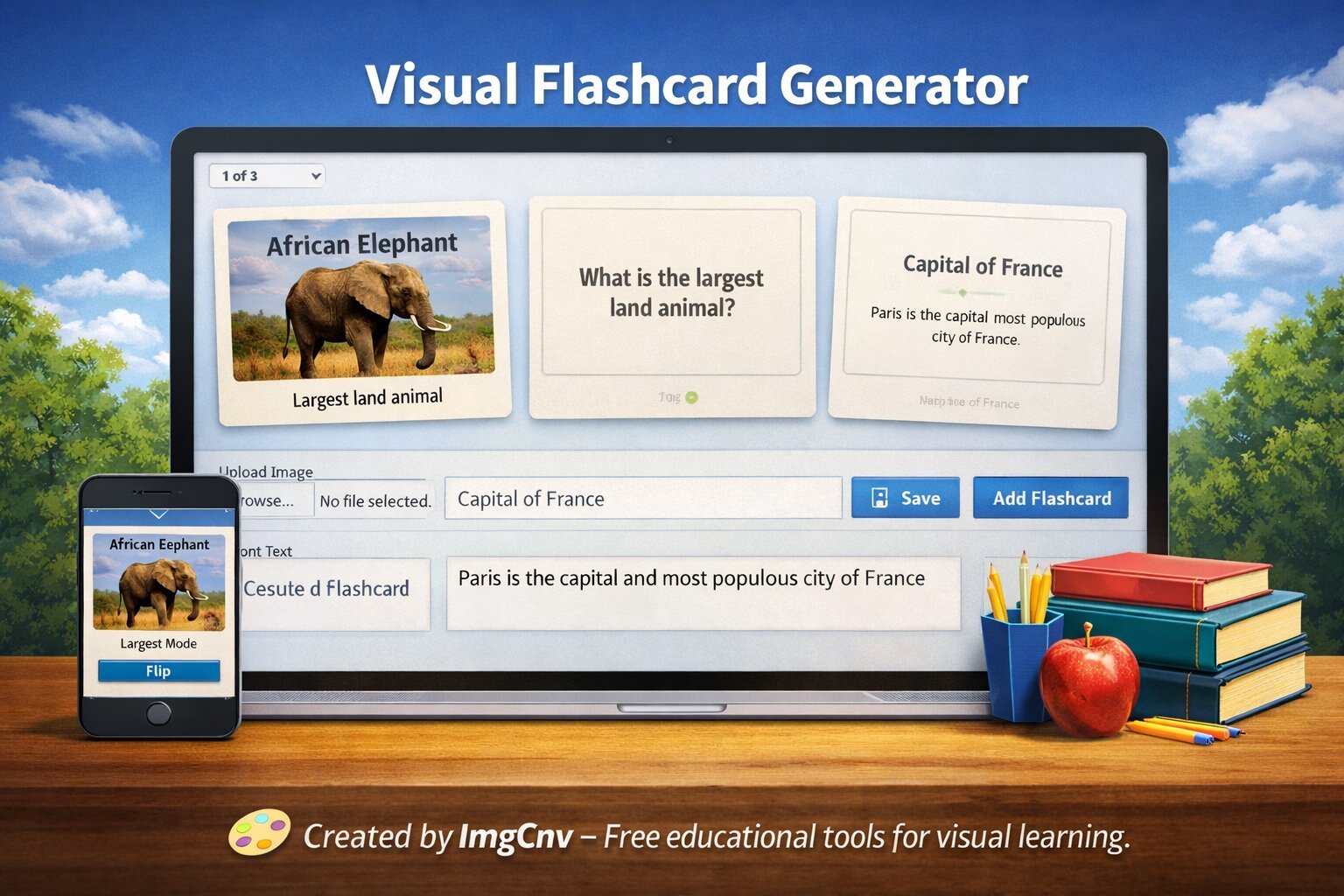
- Upload an image and add text for front and back
- Click the "Add Flashcard" button to create a card
- Click on any card to flip it and reveal the back
- Hover over a card and click the × to delete it
- Use the study mode to review all cards in full screen
No flashcards yet. Add your first one above!
Educational Uses
📖 Language Learning
Create vocabulary cards with images on the front and translations on the back for effective language acquisition.
🔬 Science & Biology
Label diagrams of cells, organs, or chemical structures with terms and definitions for memorization.
🗺️ Geography
Use maps and landmarks on the front with country capitals or facts on the back for geography study.
📚 History & Art
Study historical events, dates, or art movements with relevant images and detailed explanations.
Visual Flashcard Generator – Your Free Online Image-Based Flashcard Maker for Study & Teaching
Think back to your most memorable lesson. Chances are it came with a picture, a diagram, or a visual that clicked instantly. That’s the magic behind the Visual Flashcard Generator on ImgCNV—a tool built to transform ordinary images into powerful study aids. Whether you’re teaching vocabulary, anatomy, art history, or safety procedures, this free online flashcard maker with images lets you combine any photo with custom text, creating a deck of vibrant, memorable cards in seconds. No design skills, no expensive software—just a browser and a desire to make learning stick.
Educators and students alike are turning to a visual flashcard generator for education that doesn’t lock features behind paywalls. Here, you can upload a photo of a leaf, add the label “Chloroplast,” and instantly download a print‑ready card. Need a whole set? Duplicate, tweak, and repeat. It’s the quickest way to create image-based flashcards online free of clutter, ads, or registrations. Pair it with other ImgCNV tools and you have a full creative studio at your fingertips—perfect for classrooms, homeschooling, and self‑paced revision.
Why Visuals Supercharge Memory
We’re wired for pictures. The human brain processes images 60,000 times faster than text, and dual‑coding theory tells us that combining visuals with words creates stronger memory traces. A traditional text‑only flashcard of “Eiffel Tower” is fine, but a custom picture flashcard for studying that shows the actual monument with “La Tour Eiffel – Paris, 1889” underneath? That’s a memory anchor. The Visual Flashcard Generator capitalizes on this by letting you pair your own photographs, diagrams, or screenshots with typed explanations. Whether it’s a chemical reaction, a historical figure, or a new language’s food vocabulary, the image cements the concept far better than words alone.
How Our Tool Turns Images Into Instant Study Aids
Using this online flashcard maker with images couldn’t be simpler. You start by uploading a picture from your device or dragging it right into the canvas. Then you add a text field—position it, choose a font size and color, and type your term or definition. The layout is fluid, so you can place the label at the top, bottom, or directly over a blank area of the photo. Once you’re happy with the design, hit download to save the card as a high‑resolution PNG. Need a stack of related cards? The interface remembers your last text settings, letting you swap images quickly while keeping a consistent look. It’s an interactive flashcard tool for teachers that respects the pace of a busy classroom—you can create ten cards during a coffee break.
Beyond the basic card, you can also use the tool to generate study prompts. For example, upload a diagram and add a question instead of a label: “What stage of mitosis is this?” The student sees the image, recalls the answer, and flips (or scrolls) to check. That’s where the magic of an interactive flashcard tool for teachers really shines—it adapts to your teaching style rather than forcing you into a rigid template.
Step-by-Step: Create a Custom Picture Flashcard in Under a Minute
- Pick your image. Click the upload button or drag a photo, illustration, or screenshot into the tool. It accepts common formats instantly.
- Add the text layer. A text box appears—type your label, definition, or question. You can adjust the font style, size, and color to match your image’s tone.
- Fine‑tune placement. Drag the text to the ideal spot. For a clean card, place it below the image; for an immersive look, overlay it on a darker area of the photo.
- Download and repeat. Save the finished card as a PNG. Then simply swap the image and edit the text to build the next card in your set. The tool keeps your formatting, so every card looks cohesive.
- Go further. Turn that card set into an interactive revision game using the Image‑Based Quiz tool, which takes your flashcards and transforms them into a self‑checking quiz your students can complete online.
Who Can Benefit (It’s Not Just Students)
While the name says “flashcard,” this visual flashcard generator for education stretches far beyond exam prep:
- Language Teachers. Upload photos of everyday objects, food, or places and add the target language word. Suddenly, a picture of bread becomes “Brot” or “pan” with a visual context that’s hard to forget.
- Science & Medicine. Label anatomical diagrams, chemical apparatus, or plant species. The tool turns complex visuals into clear, labeled references.
- Professional Training. Safety procedures, equipment handling, or customer service scenarios come alive when you pair a real‑world photo with a step or warning.
- Art & Design. Create style reference cards, color palettes with example images, or critiques with visual annotations.
- Parents & Homeschoolers. Build custom learning materials that match your child’s interests—dinosaurs, planets, musical instruments—using your own photos or free‑to‑use images.
Because you can create image-based flashcards online free, you’re not limited by textbook images. Snap a photo of a local landmark, a pet, or a family member, and turn it into a personalized card that means something to the learner.
Pairing Flashcards with Other ImgCNV Magic
The ImgCNV suite works beautifully together, and the Visual Flashcard Generator is no exception. Give your flashcards an artistic edge by running a photo through the Pencil Sketch Image Converter before uploading—hand‑drawn style anatomy diagrams or historical portraits become instantly more engaging. For language cards or classroom materials that benefit from a personal touch, the Handwriting Text Image Generator can add a handwritten font to your text layer, making the card feel like a custom note from the teacher.
Want to create a mystery study deck? Use the Hide Text in Image tool to embed answers invisibly inside the picture, then reveal them only when students hover or decode. And if you’re designing characters for a storytelling flashcard set—like emotions, professions, or historical figures—the Character Design Tool helps you build original faces that can become the visual anchor for each card. All these tools are linked through the same no‑login philosophy, so you can jump between them without losing momentum.
Real-Life Ideas to Get You Started
Nothing sparks creativity like seeing what others have made. A primary school teacher in Manchester used the visual flashcard generator to create a set of “Community Helpers” cards—photographs of real firefighters, bakers, and nurses from the school’s neighborhood, each with the profession’s name. The kids recognized the streets and faces, and the vocabulary stuck instantly.
A biology student turned her entire histology slide collection into labeled flashcards, using screenshots from virtual microscopes. She then turned those into an image‑based quiz that self‑tested her on tissue identification before finals. A piano instructor created note‑recognition cards with photos of sheet music snippets and the note name placed discreetly at the bottom. The versatility is endless—anytime a picture can replace a paragraph, a flashcard is the answer.
Privacy, Quality, and the ImgCNV Promise
We built this online flashcard maker with images to be as private as your notebook. Images are processed directly in your browser; they’re never uploaded to a server or stored anywhere. When you download a card, you’re extracting exactly what you see—no watermarks, no hidden metadata. This makes it safe for student data, classroom use, and sensitive training materials. The output PNGs are crisp and print‑ready, so you can laminate a whole set or project them on a smartboard without pixelation.
ImgCNV’s ethos is about accessible creativity. You’ll find the same care in every corner, from the image‑based quiz maker to the handwriting tools. If you ever want to learn more about the people behind these free resources, the About Us page is just a click away—we’re a small team with a big belief that learning tools should be free and frictionless.
Ready to Make Learning Stick?
Great teaching isn’t about the shiniest gadgets; it’s about making connections. The Visual Flashcard Generator gives you a direct line from a picture to a memory, no matter what subject you teach or how you learn. It’s the simplest way to build a custom picture flashcard for studying, and it fits into the busiest of schedules. So upload a photo, type a label, and download your first card. Whether you’re reviewing for a history exam, teaching your toddler colors, or training new staff on equipment, the right image plus the right text equals a lesson that lasts. Start creating, and watch the “aha!” moments multiply.
What Is a Visual Flashcard Generator?
A visual flashcard generator helps students learn using image-based flashcards. Each card shows an image and a term on the front, with an explanation or answer on the back, making it ideal for active recall and long-term memory.
This tool is widely used for subjects such as biology, geography, language learning, history, and general science where visual association improves understanding.
If you need to label parts of an image before creating flashcards, try our Image Annotation Tool.
To turn diagrams into exam-style questions, use the Diagram Question Generator .
You may also find our Educational Poster Maker useful for creating printable study material.